
“What happens if I raise this campaign’s budget 20%?” is normally a question you can only answer by actually doing it and waiting. Budget Forecast answers it instantly instead - drag a slider, and it projects the conversion and value impact from that campaign’s own historical efficiency, right there on the page.
Where to find it & plan availability
Go to Optimize → Forecast in the left sidebar, or open /dashboard/forecast directly. The page is free on every plan - it’s a read-only simulation with nothing to gate.
Step-by-step walkthrough
1. Read each campaign’s baseline
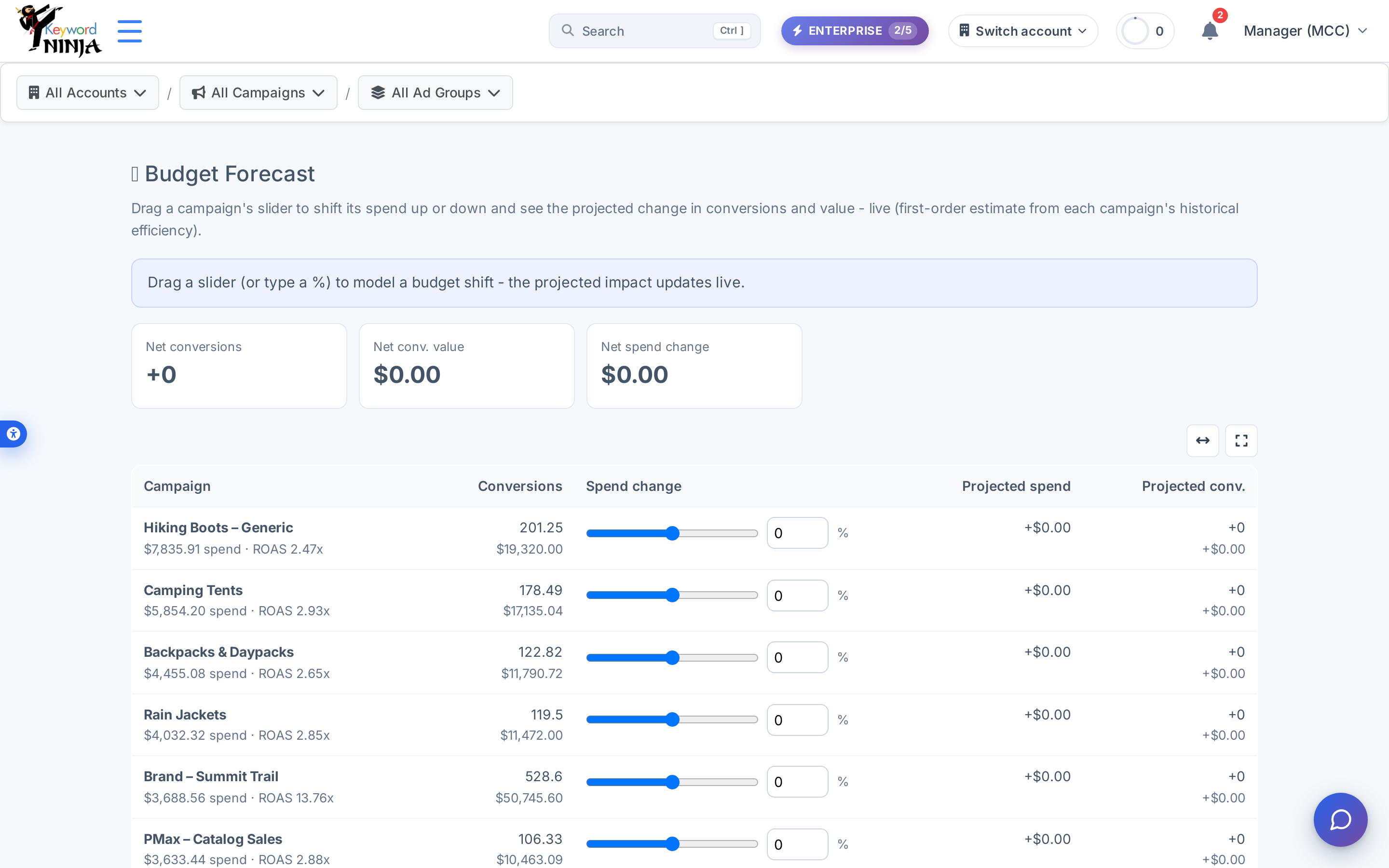
The table lists every enabled campaign with real spend in the current window, showing its actual conversions, spend, and ROAS from that history - this is the baseline the projection is built from, not a prediction itself.
2. Drag a slider (or type a %) to model a change
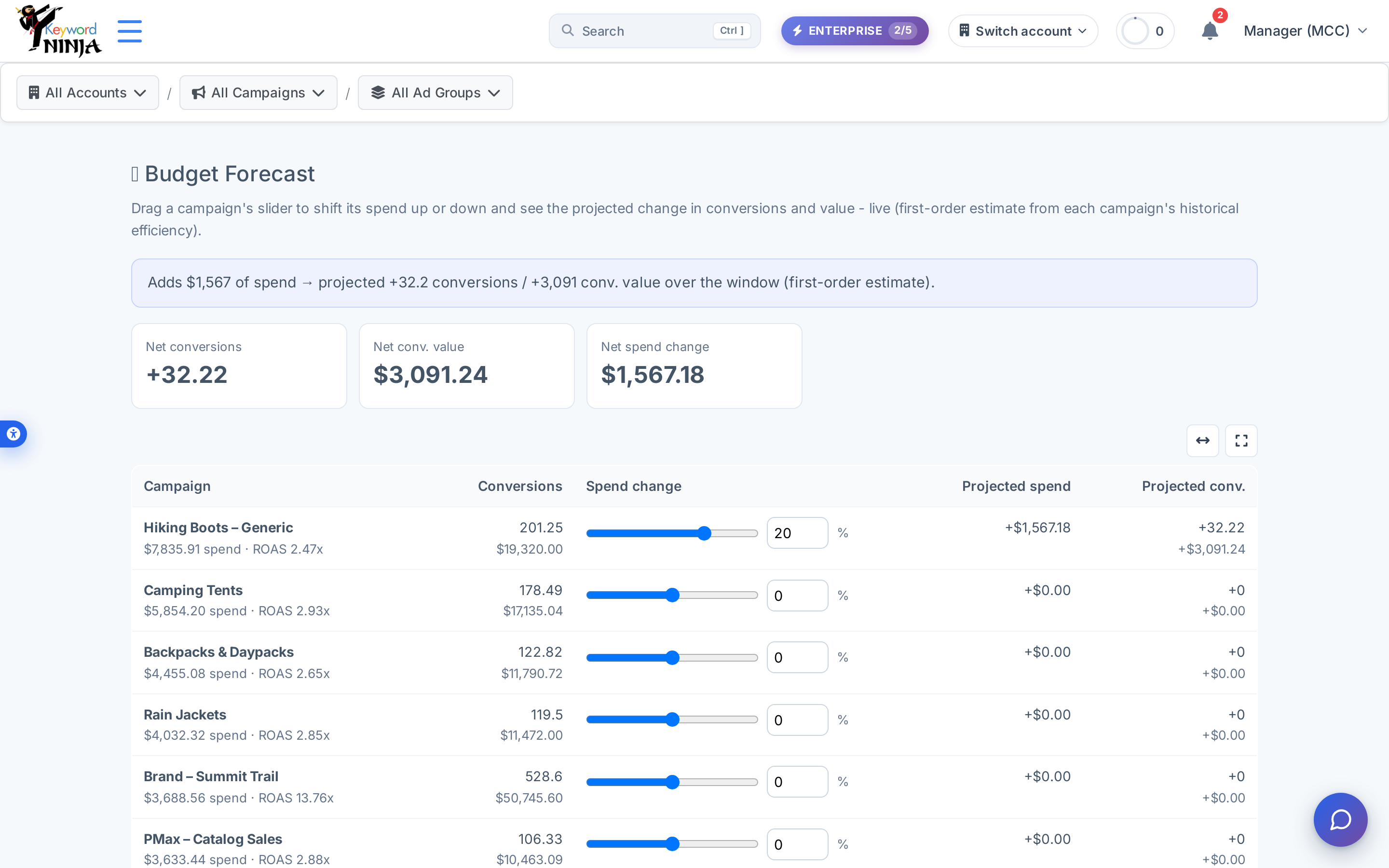
Move any campaign’s slider between -50% and +50% (or type the percentage directly) to model a spend change for that campaign over the window. The row’s own projected spend and projected conversions update immediately, and the net summary cards and banner refresh a moment later with the totals across every campaign you’ve adjusted.
3. Read it as a first-order estimate, not a guarantee
The projection is deliberately simple: it multiplies the spend change by that campaign’s own conversions-per-dollar and value-per-dollar over the window, with a 20% diminishing-returns discount applied to increases only (cuts are assumed to lose the full average return). It’s a quick, transparent sanity check - not a machine-learning model or a seasonal trend forecast.
Tips & best practices
- You can model several campaigns at once. Every slider you move adds to the same net summary, so you can simulate “increase this campaign, cut that one” and see the combined effect in one view.
- Increases and cuts aren’t projected symmetrically, on purpose. A +20% move assumes some of that extra spend goes to lower-value inventory (the 20% dampening factor); a -20% move assumes you lose the full average value per dollar, since cutting spend typically removes your most efficient inventory last, not first.
- A campaign with $0 spend in the window won’t appear at all. The table only includes campaigns with real spend history to compute efficiency from - a paused or brand-new campaign has nothing to project from yet.
- The window is 30 days by default and isn’t adjustable from the UI - if you want a longer or shorter history baseline, the underlying API supports it, but this page’s controls don’t currently expose it.
- The summary sentence stays in English regardless of site language. The rest of the page - headers, labels, cards - is fully bilingual, but this specific banner text (and the “%”/currency figures inside it) is composed the same way in both languages - confirmed live on the Hebrew screenshot above.
- Don’t confuse this with the “Monthly Spend Forecast” widget on the main dashboard. That’s a different, simpler feature - it just projects your month-end spend from month-to-date pacing; it doesn’t model campaign-level budget changes the way this page does.
Troubleshooting & FAQ
The table is empty. No enabled campaign has spend greater than zero in the current window - check back once campaigns have accrued real spend, or verify the account has synced recently.
I moved a slider and the row updated but the net cards didn’t. The per-row numbers update instantly from client-side math; the net summary cards refresh from the server a short moment later - give it a second if you moved several sliders in quick succession.
Why doesn’t a +50% slider just show a 50% higher spend figure? It does - the “Projected spend” column reflects the raw dollar change you modeled. It’s the conversions/value projection, not the spend figure, that applies the diminishing-returns discount on increases.
Can I use this to change my actual Google Ads budgets? No - this page never writes anything to Google Ads or to your account’s budget settings. It’s a modeling tool only; making the actual budget change happens in Google Ads (or the relevant campaign-management surface) once you’ve decided based on the projection.