
Quality Score and CPA can both look fine while the actual page a click lands on doesn’t say anything about what the ad promised. This tool closes that gap directly: it fetches the ad’s real final URL, feeds the page’s visible content to AI alongside the ad group’s keywords and the ad’s own headlines and descriptions, and returns a concrete score plus specific fixes - not a guess based on Google’s own quality signals, an actual read of the live page.
Where to find it & plan availability
Go to Optimize → Landing-Page Audit in the left sidebar, or open /dashboard/landing-page directly. Viewing the page is free for anyone with an initialized account, but running a critique requires a PRO or ENTERPRISE plan - on a lower plan the Critique button returns an upgrade message instead of a result.
Step-by-step walkthrough
1. Narrow the filter to one ad group, then pick an ad
Use the breadcrumb filter above the page to select a single account, then a single ad group - the picker only populates once exactly one ad group is selected. Choose the specific ad you want to audit from the dropdown; only ads that have a landing page URL appear in the list.
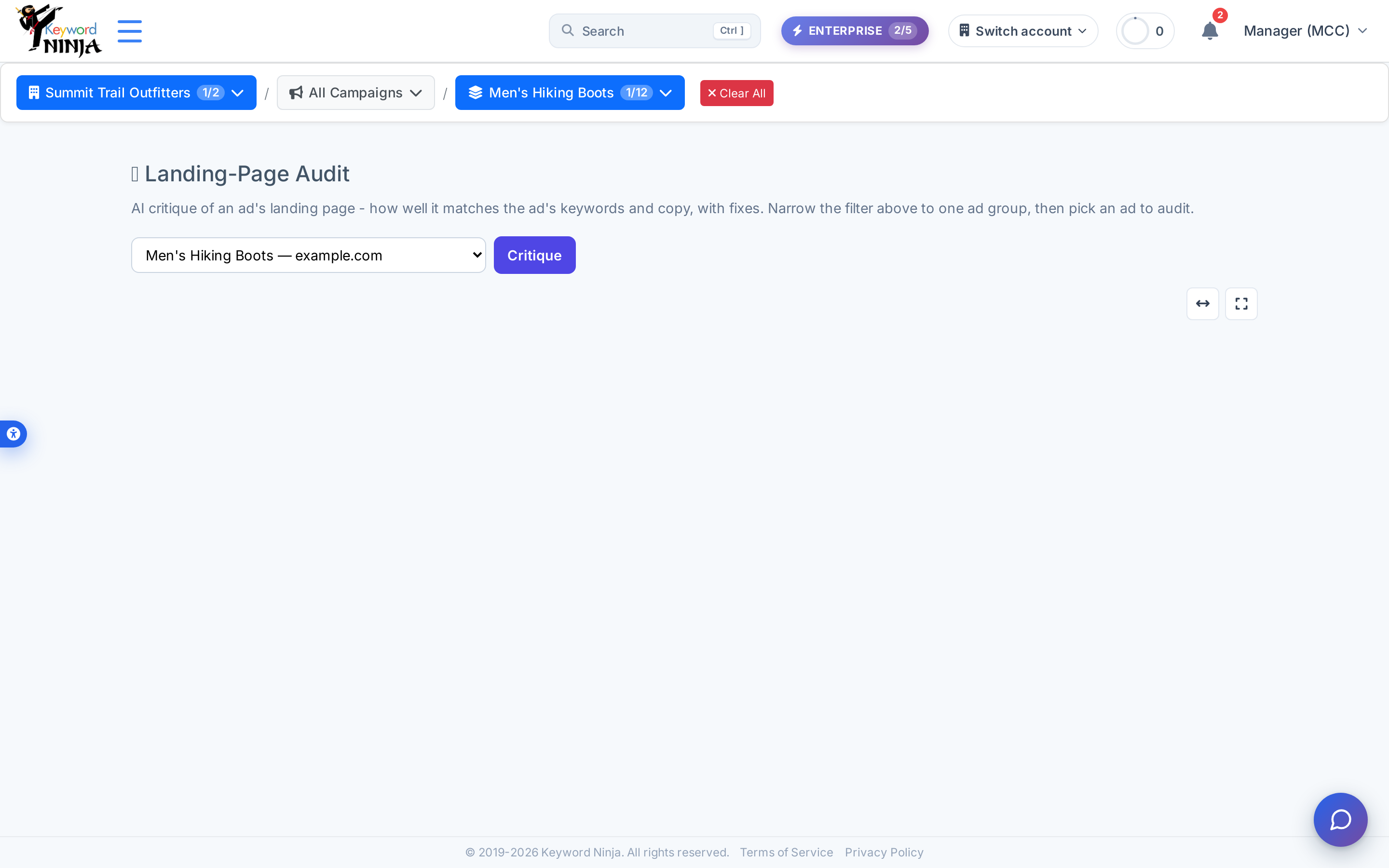
2. Click Critique and wait for the live fetch
Clicking Critique triggers a real, synchronous request: Keyword Ninja fetches the ad’s actual landing page over the network, strips it down to visible text, and sends that text to AI alongside the ad group’s keywords and the ad’s headlines/descriptions. This takes a few seconds longer than a typical page load since it’s a live fetch plus an AI call, not a cached lookup.
3. Read the score and the specific fixes
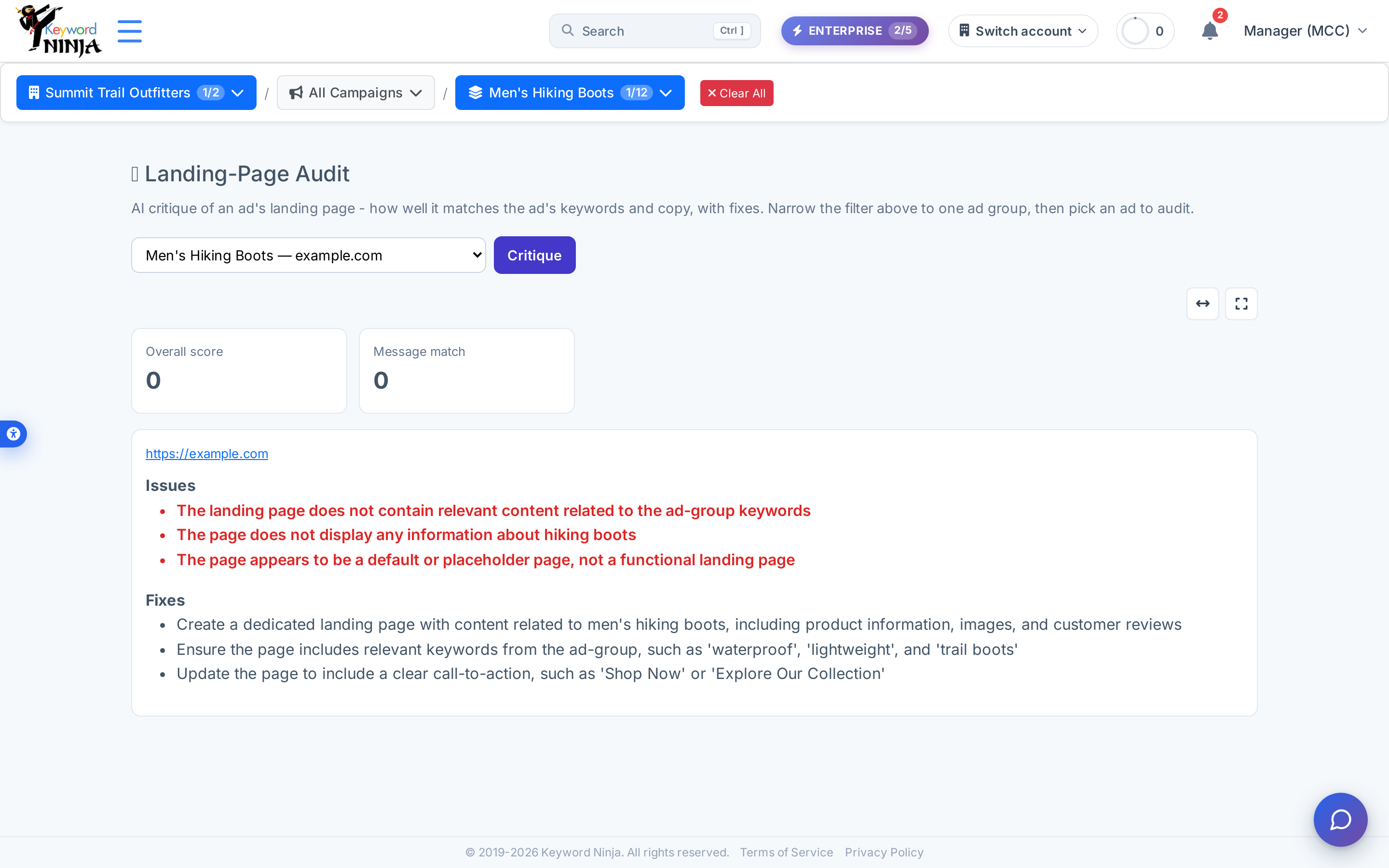
The result shows an Overall score and a Message match score, a link to the actual page that was fetched, then three lists: Issues (what’s specifically wrong), and Fixes (concrete next steps). A low score with a placeholder or off-topic page will surface exactly that.
Tips & best practices
- This is a live crawl, not a cached Google Ads signal. Unlike the Quality Score page’s landing-page component (which reflects Google’s own historical judgment), this tool fetches the page fresh every time you click Critique - if you’ve just updated the page, you’ll see the new content reflected immediately.
- The URL has to actually be reachable. If the fetch times out or the page returns an error, you’ll get a generic “could not critique” message rather than a score - this isn’t a quota or plan issue, it just means the live request failed.
- One ad at a time, by design. There’s no bulk-audit mode - pick the ad you specifically want to check. If you manage many ad groups, prioritize the ones with the most spend or the ones you suspect have generic/shared landing pages.
- The AI’s findings stay in English regardless of site language. The page chrome (score labels, section headers) is fully bilingual, but the Issues/Fixes text itself isn’t re-generated per language - confirmed live on the Hebrew screenshot above.
- A single low score on one ad doesn’t necessarily indict the whole ad group. If several ads in a group share the same landing page, run the audit on more than one to confirm it’s a page-level problem rather than an ad-specific fluke.
Troubleshooting & FAQ
I clicked Critique and got an upgrade message instead of a result. This feature requires a PRO or ENTERPRISE plan; viewing the page itself stays free, but the critique action is gated.
The ad-group picker says “Pick a single ad group in the filter above…” and won’t let me choose an ad. The audit only works scoped to exactly one ad group - if the breadcrumb has zero or multiple ad groups selected, narrow it down first.
I got “Could not critique (PRO/Enterprise, your ad, and a reachable URL).” This one message covers three possible causes: you’re not on a qualifying plan, the ad doesn’t belong to your account, or the page genuinely couldn’t be fetched (timeout, DNS failure, blocked crawler, etc.) - check that the URL loads normally in a browser first.
Why does the score not match Google’s own Quality Score for this keyword? They’re different signals from different sources - Quality Score’s landing-page component is Google’s own historical assessment across the account’s real traffic, while this tool is a one-time AI read of the page’s current content against this specific ad’s keywords and copy.