
A negative keyword added months ago for a good reason can quietly block a keyword you added later - and because both are “working as designed,” nothing in Google Ads itself will warn you. The Conflicts page cross-checks every enabled negative keyword against every enabled keyword in the same campaign or ad group, and surfaces every case where one is silently blocking the other.
Where to find it & plan availability
Go to Optimize → Conflicts in the left sidebar, or open /dashboard/conflicts directly. Viewing the page is free on every plan - it isn’t listed among the gated features at all. Taking action (Hide, Resolve, or the underlying Remove/Pause) requires your workspace role to be Member or above; Viewers can see everything but the action buttons aren’t available to them.
Step-by-step walkthrough
1. Read the Active conflicts table
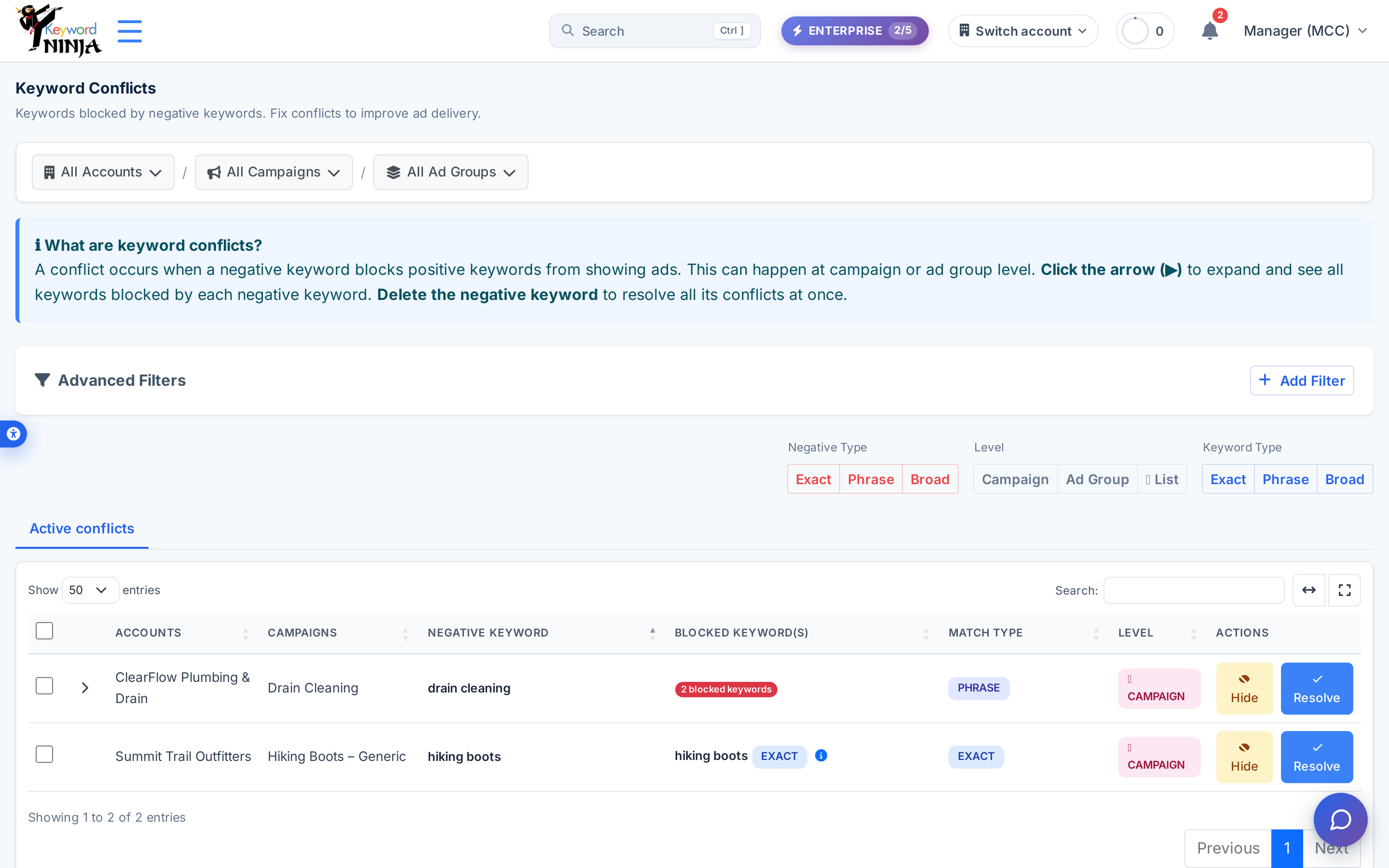
Each row is one negative keyword and every enabled keyword it blocks, scoped to the breadcrumb account/campaign/ad-group filter plus quick toggles for Negative Type, Level, and Keyword Type. A negative that blocks more than one keyword shows a “N blocked keywords” badge with an expand arrow.
2. Expand a grouped conflict
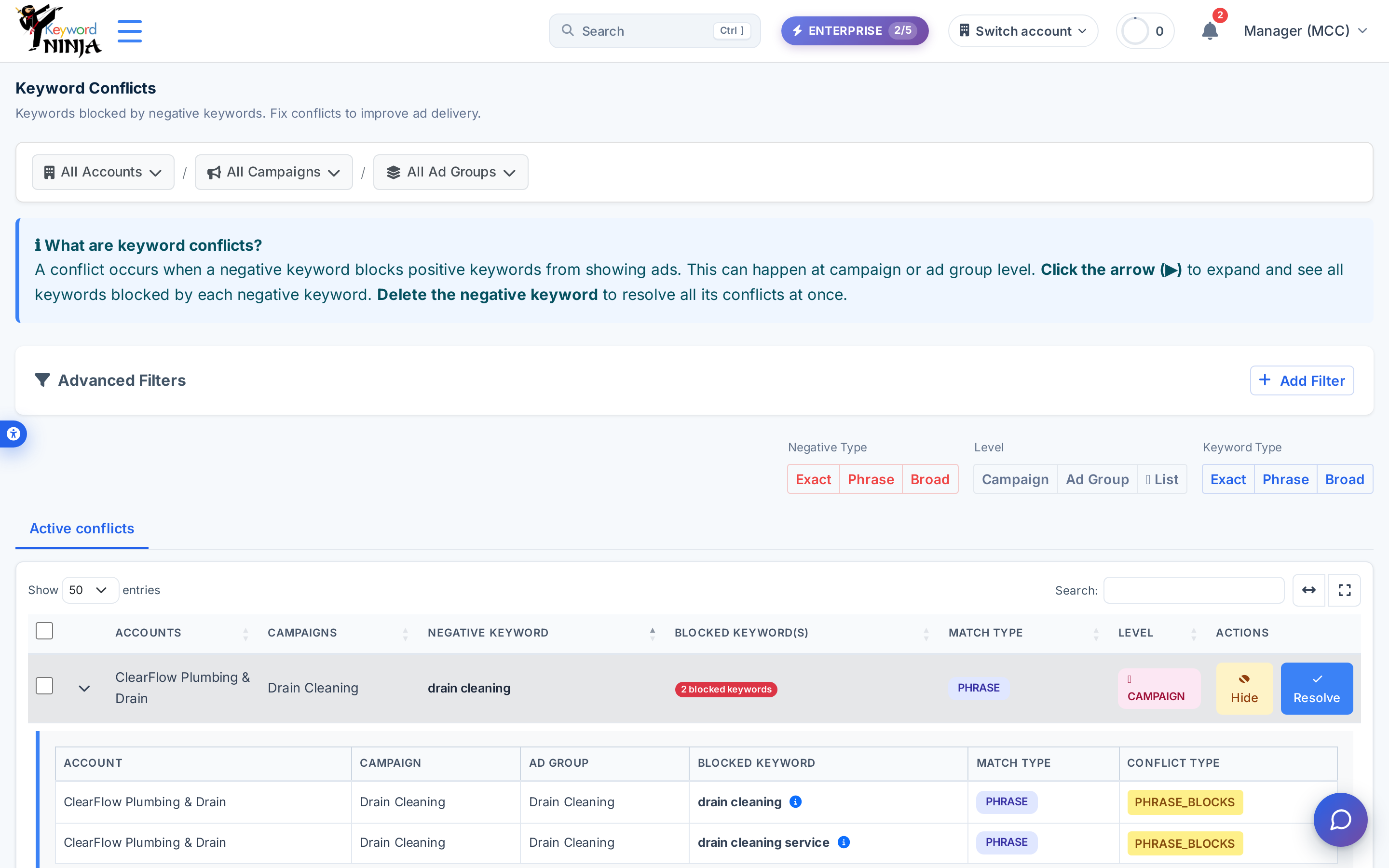
Click anywhere on a row with a blocked-keywords badge to expand it into a child table listing every individual blocked keyword, its campaign and ad group, its match type, and the specific conflict type (EXACT_BLOCKS/PHRASE_BLOCKS/BROAD_BLOCKS).
3. Resolve it
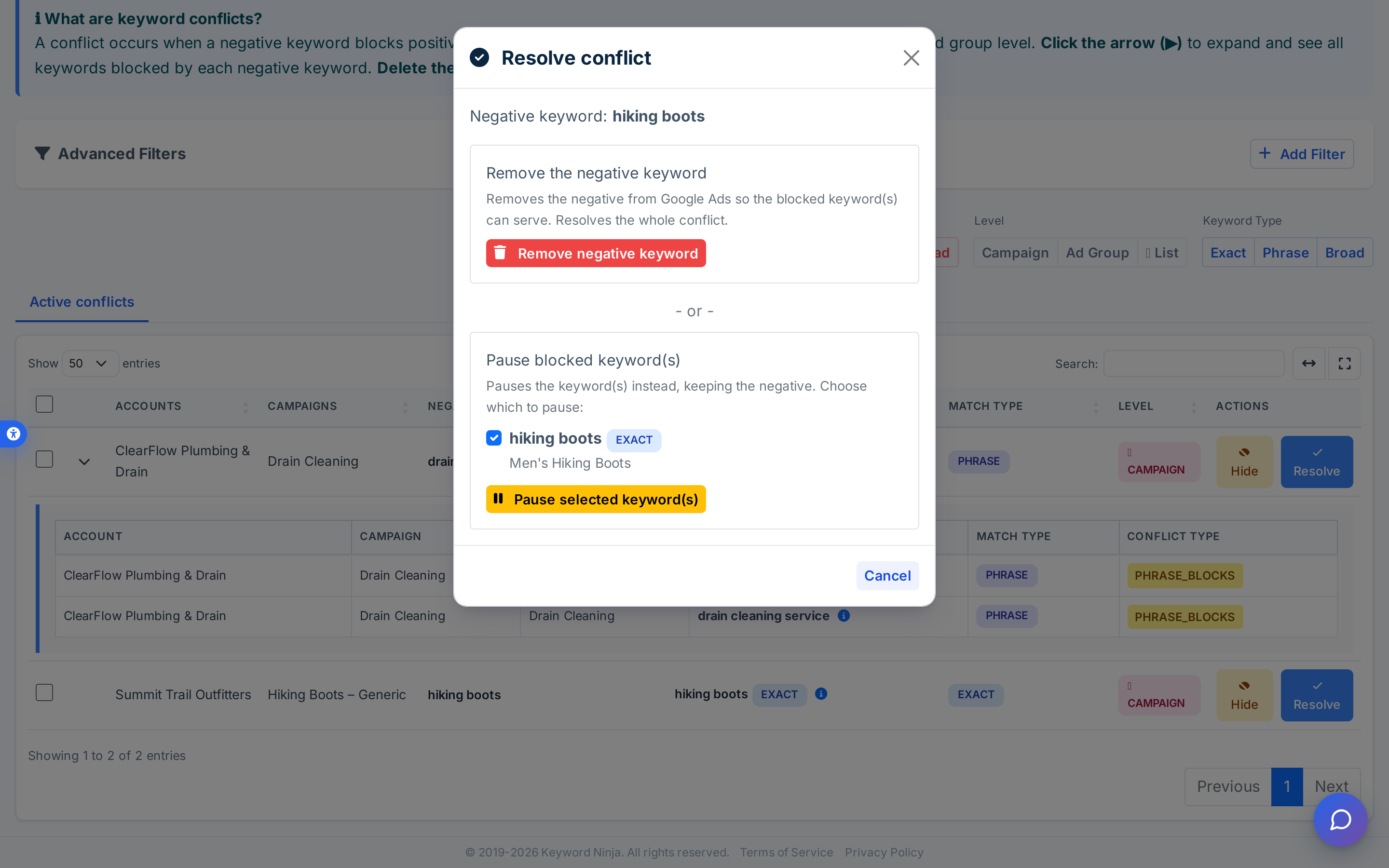
Click Resolve to open a modal with two real fixes: Remove the negative keyword (deletes it from Google Ads, so every blocked keyword can serve again) or Pause blocked keyword(s) (keeps the negative and pauses the specific keywords you check instead, when the negative is doing its job elsewhere in the account). Both call Google Ads directly and can’t be undone the way Hide can.
Tips & best practices
- Hide is the safe first move. It sets the conflict aside (moves it to the Hidden tab, undoable any time) without touching Google Ads at all - use it for conflicts you’ve reviewed and decided are intentional, so they stop cluttering the Active list.
- Match type decides which rule fired, not a cascade. An EXACT negative only ever produces
EXACT_BLOCKS(exact text match); PHRASE only producesPHRASE_BLOCKS(whole-word-boundary substring match); BROAD only producesBROAD_BLOCKS(any shared word, no order or stemming). Each negative is checked by exactly one rule, based on its own match type. - Shared negative keyword lists count as campaign-level. If a list is attached to a campaign, any negative in that list blocking a keyword shows up here the same as a campaign-level negative - there’s no separate ad-group-level treatment for list items.
- Campaign/ad group names shown here are a snapshot from when the conflict was detected. They aren’t refreshed if you rename the campaign or ad group afterward - if a name here looks stale, use the ℹ️ icon (when available) or search by keyword text elsewhere to confirm you’re looking at the right entity.
- Detection only considers ENABLED entities. Pausing or removing a campaign, ad group, or keyword takes it out of consideration on the next sync - conflicts involving anything not fully enabled are cleaned up automatically rather than shown as resolved.
Troubleshooting & FAQ
I don’t see Hide or Resolve buttons, just the table. Those actions need your workspace role to be Member or above; ask a workspace Owner or Admin to change your role if you need to act on this page.
I hid a conflict by mistake. Switch to the Hidden conflicts tab and click Undo on that row - it restores immediately to the Active tab.
“No conflicts found. Great! All your keywords are clear.” That’s the real empty state, not a loading placeholder - it means no enabled negative keyword in the current scope blocks an enabled keyword.
I removed a negative keyword and it’s still in Google Ads. Give it a moment and check the Google Ads UI directly - the removal is a live API call, and this page’s own row disappearing confirms the request succeeded on Keyword Ninja’s side.
Why would I choose Pause instead of Remove? Remove fixes every keyword the negative blocks by deleting the negative entirely - useful if the negative no longer serves a purpose. Pause is the safer choice when the negative is intentionally blocking traffic elsewhere in the account and you’d rather retire the specific blocked keyword(s) instead.